
Core Onboarding
Getting Started with NSIMS
Official onboarding walkthrough covering first-time account activation, portal sign-in, credential recovery, and standard dashboard navigation.
1. Account Activation & Credentials
Students & Applicants: Accounts are created upon official acceptance by Admissions. Enrolled students are provisioned with an institutional @gbox.ncf.edu.ph Google Workspace email and permanent Student ID Number.
Faculty & Staff: Institutional accounts are provisioned by the HR / MIS Department with your @ncf.edu.ph Google Workspace email.
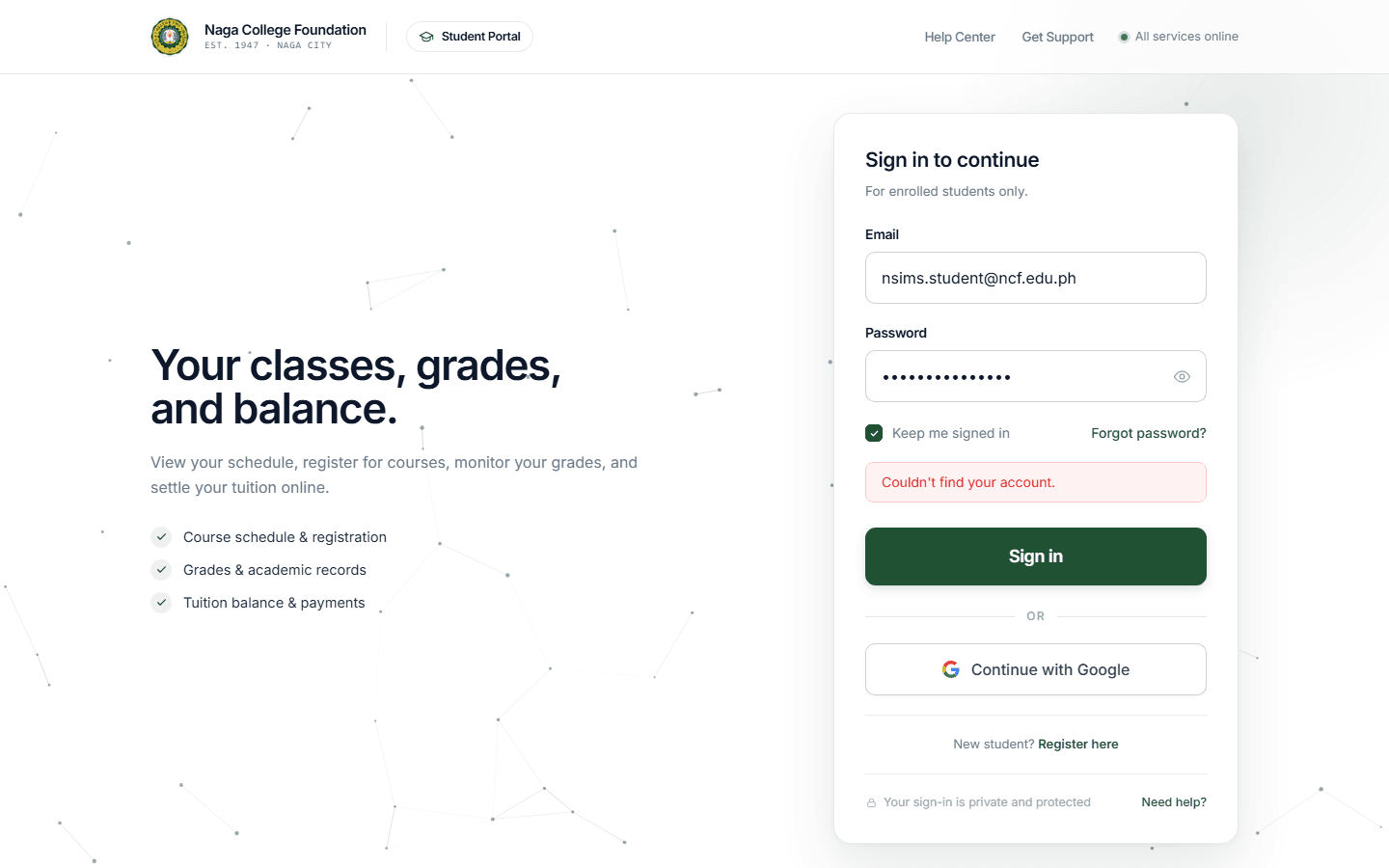
2. Signing In to Your Portal
Open the designated URL for your portal role:
- Students:
student-portal.sims.ncf.edu.ph - Faculty:
faculty-portal.sims.ncf.edu.ph - Registrar / Core:
core.sims.ncf.edu.ph - Accounting & Cashier:
accounting.sims.ncf.edu.ph
Zoom
Standard Portal Sign-in Screen
3. Password Reset & Account Recovery
- Click Forgot Password? on the login screen.
- Enter your registered student or faculty email address.
- Input the 6-digit verification code sent to your inbox.
- Create and confirm your new secure password.
On This Page