
5. Enrollment Operations
Subject Encode & Section Capacity Management Guide
Encode subjects for regular and irregular students, manage section capacities, and handle subject replacements.
Roles: Subject Encoders, Enrollment Officers·Last updated: August 25, 2026
Before You Begin (Prerequisites)
- Approved Section Offerings
- Open Enrollment Schedule
Step-by-Step Instructions
1
Open Subject Encode
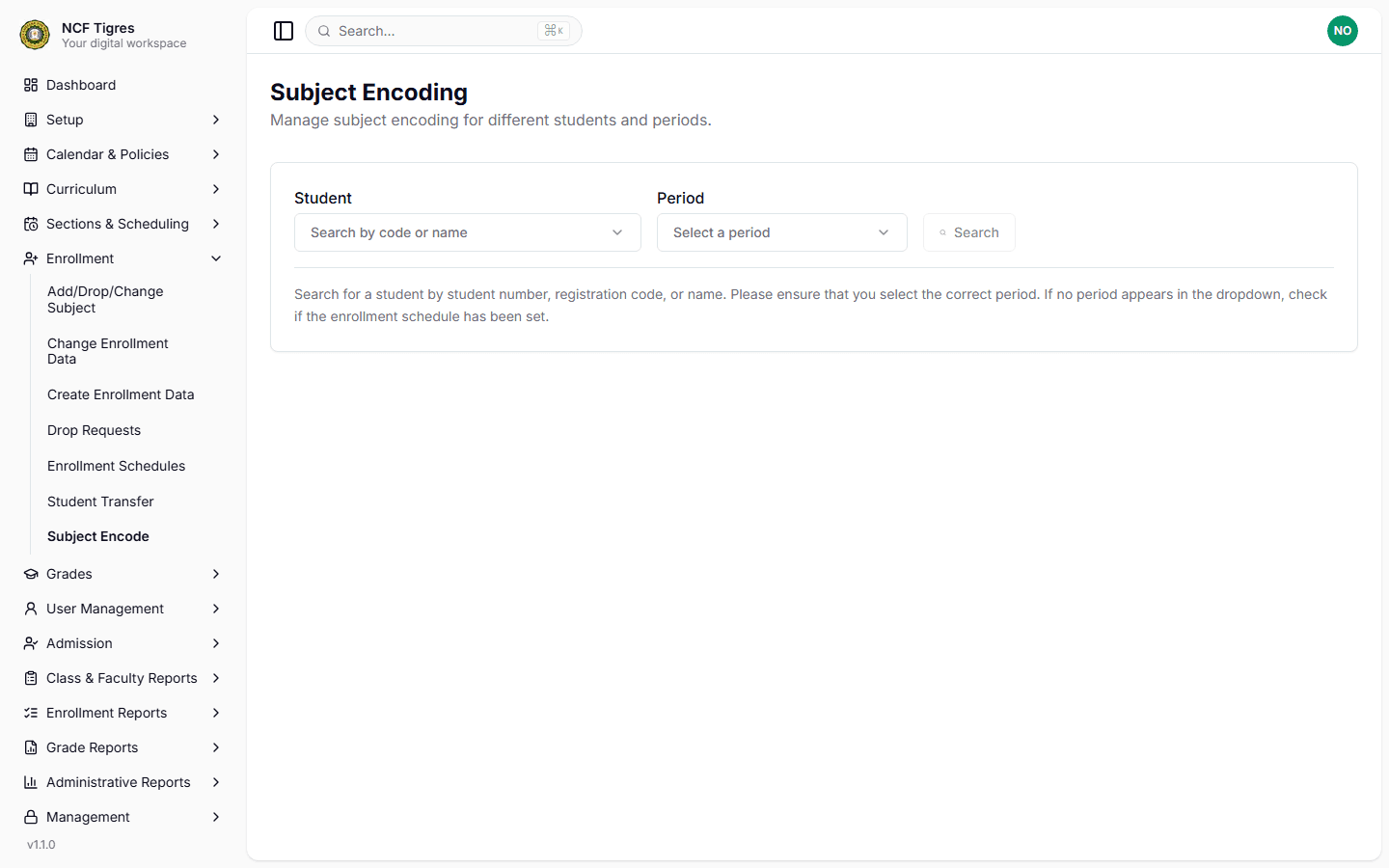
Go to Academic Management > Subject Encode in the Core Portal.
Zoom
Interface: Open Subject Encode
2
Search Student
Select Period and enter Student ID or Applicant Number.
3
Select Section / Subjects
Choose subjects. System verifies remaining seat slots.
4
Save Enrollment
Save to finalize subject registration and send billing units to Accounting.
Important Business Rules & Invariants
Slot Capacity Enforcement: Encoding is blocked when section available slots reach 0.
Common Questions & Troubleshooting
Request the Dean to increase maximum slot capacity or assign the student to another open section block.
On This Page