
Cashiering & Collections
Cashier Point-of-Sale Register & Payment Receipting Guide
Open cashier shift sessions, accept tuition and miscellaneous payments, post ledger entries, and issue Official Receipts.
Roles: Cashiers, Finance Clerks·Last updated: August 25, 2026
Before You Begin (Prerequisites)
- Active Cashier Series Setup
- Cashier Session Drawer
Step-by-Step Instructions
1
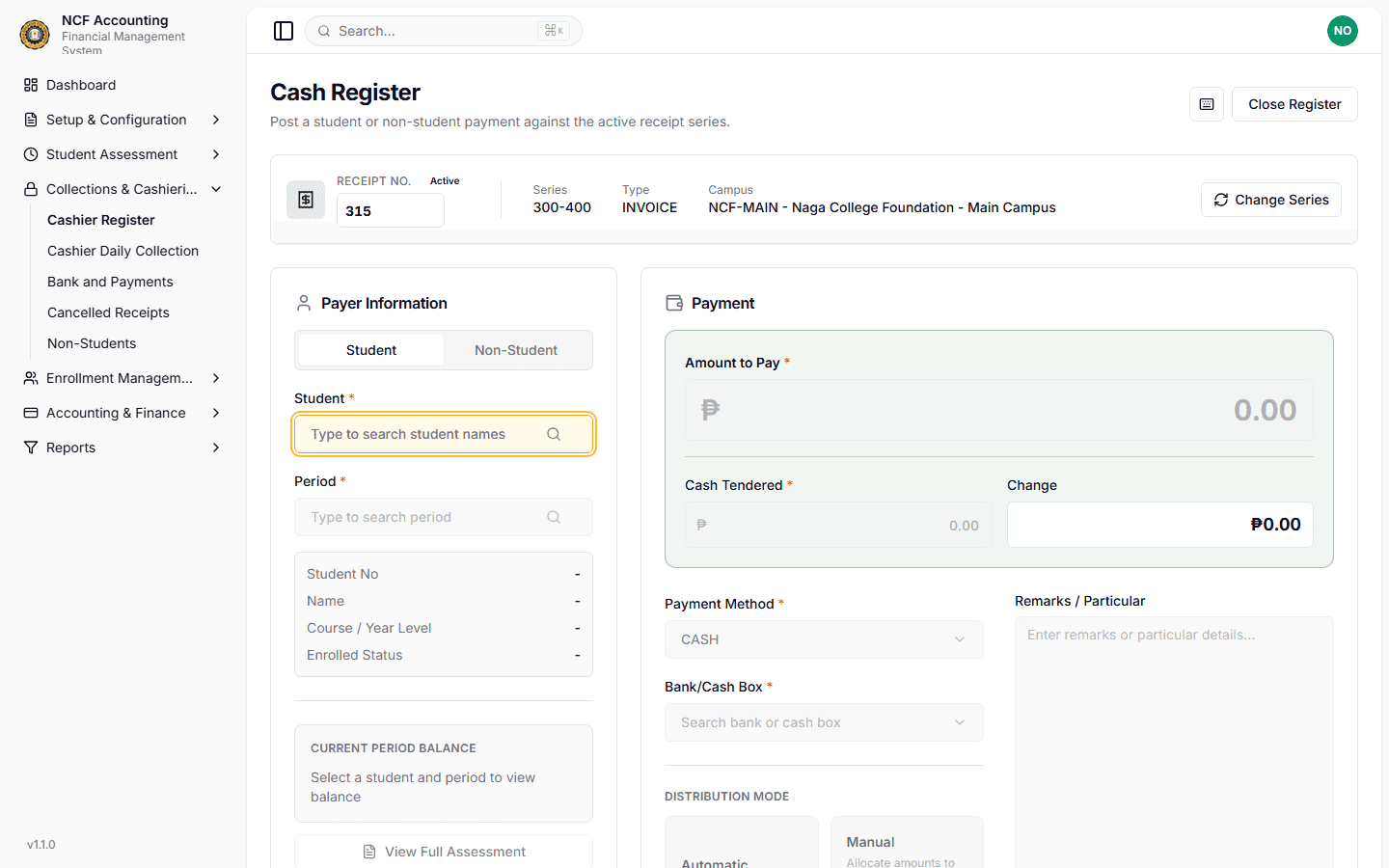
Open Cashier Register
Navigate to Cashier Register and open your shift session.
Zoom
Interface: Open Cashier Register
2
Search Student / Payee
Enter the Student ID or Name to pull up active assessments and dues.
3
Input Payment Tender
Select payment method (Cash, GCash, Bank Deposit, Check) and enter amount received.
4
Print Official Receipt
Confirm transaction to post to the student ledger and print the official receipt.
Important Business Rules & Invariants
Sequential Receipt Numbers: Official receipts are strictly numbered in sequential order based on the active series setup.
Common Questions & Troubleshooting
The system displays a 'Series Exhausted' warning and prompts the supervisor to switch or assign a new receipt series.
On This Page